
Please ensure that you first transfer the funds from your trading account to your Cambist Markets wallet, as per the guide here.
Once you have transferred the funds to your Cambist Markets wallet, please follow the steps below to withdraw:
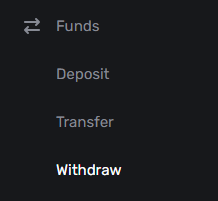
- Click on the ‘Funds’ tab
- Click on ‘Withdraw’ from the drop-down menu
- Select the USD wallet to withdraw from
- Choose the Currency and Payment method
- Enter the amount to withdraw (you can also click on ‘All’ to choose the total wallet balance)

- Select the Blockchain – it is important that this matches the network supported/selected in your external crypto wallet provider (where the funds will be sent)
- You will be prompted to provide the crypto address (which you should obtain from your crypto wallet provider)
- Click ‘Sent Request’

Crypto withdrawals are typically transferred within an hour, however, delays can occur if there is excess traffic on the Blockchain network. Please note that if manual reviews or security checks are required before the withdrawal transfer, we aim to handle this within 24 hours.
If your withdrawal is still pending, please be sure to check your emails in case our team reaches out for any information or verification details.
