
The guide below is for creating a CM Trader account only. If you wish to use TradeLocker, please follow the guide here instead.
You can create a Live or Demo trading account and log in to CM Trader directly from your broker account.
- Log in to your Cambist Markets account
- Click on the ‘Platforms’ tab
- Select ‘CM Trader’ from the dropdown menu
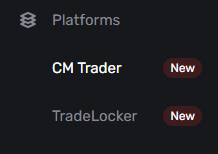
- Click ‘Add Account’ in the top-right corner

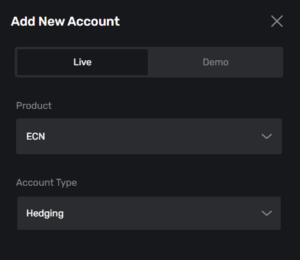
- Select Live or Demo
- Choose the Product and Account Type (for the Demo, you will also need to select the Start Amount)
- Click ‘Add New Account’
- You may need to refresh to see the new account
Any existing trading accounts will be visible from the CM Trader tab. Simply click ‘Trade’ for immediate access!
